Build your first AI agent. Live, with me.
In 60 minutes you will build a working Meeting Prep AI agent in Gumloop, start to finish, alongside me. No code. No tech background needed. You leave with an AI agent that is running.
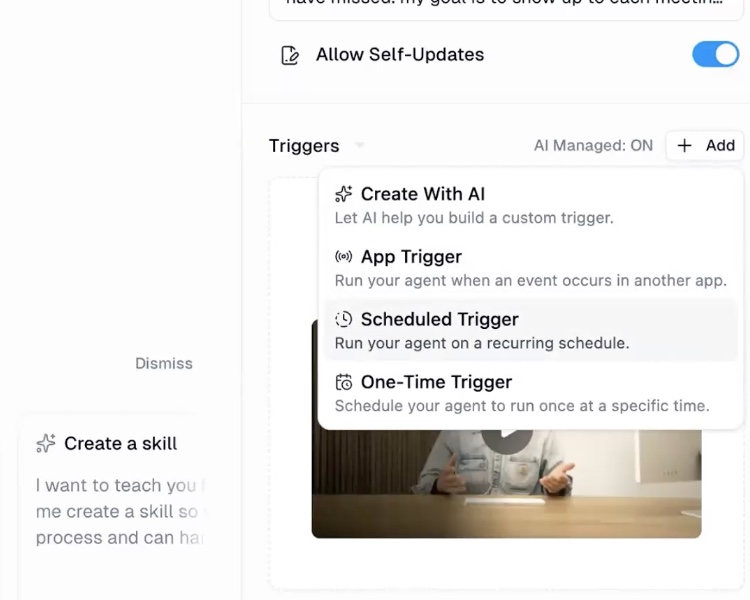
I built my very first AI agent! AI isn't just about ChatGPT or writing better prompts anymore. There are entire platforms that let you automate your day-to-day workflows and build solutions without a tech background.
Mine preps me for every meeting before I wake up. No technical background needed.
Agent Lab has drawn participants from PepsiCo, Twilio, Pursuit, Pratham USA, Gideon's Promise, and DHC USA.
An AI agent is a chatbot with tools and instructions.
You treat it like a new team member. You give it clear context and access to what it needs, the same way you would onboard a person on their first day. Once you see it that way, the rest stops feeling technical.
Every AI agent is the same five moves.
We build a Meeting Prep AI agent together using exactly these.
Name it
Give your AI agent a name and a job.
Tell it the job
Describe what it does in plain words. No code.
Switch on its abilities
Turn on the skills it needs to do the work.
Connect your tools
Give it permission to your calendar, email, and files.
Run it
Watch it work, then point it at a real meeting you have coming up.
You build while I build.
We build the same AI agent at the same time, and I answer your questions as we go. There is no recording, so the room is the whole thing. Block the hour and show up live.
Three things to have open before we start.
A Gumloop account
Make one before the session. That's where we build. Gumloop starts you on a 14-day trial, then it is a paid plan.
Create your accountThe email your AI agent will send to
Have the address ready that you want your Meeting Prep AI agent to send to.
A second screen, if you can
One screen to watch me, one to build your own at the same time. A laptop and a tablet, two windows, anything. Side by side is what makes it stick.
Registration lives on Luma.
Every session is posted on my Luma calendar. Register there and your confirmation, calendar invite, and Zoom link all come straight from Luma.
Seats are limited. If the next date isn't up yet, follow the calendar on Luma and you'll be notified the moment it posts.
Loading the next dates from Luma. Every session is posted there, and registering there sends your calendar invite and Zoom link.
Want to keep building after? Use code WOMENINAI for 20% off your first month of Gumloop.
Jacqueline V. Twillie, MBA is the bestselling author of Dear Resilient Leader and the founder of BNEDai. This is the same workshop her LinkedIn community has been building in, now open to you.
More about Jacqueline